OMP 遠端 Coding Agent(5/5):手機通知與日常流程
摘要
Agent 做完事時,讓手機跳出通知。本篇用 OMP Extension 串接 ntfy,最後示範一天的完整操作流程。
資料基準:2026-09。執行前請以
omp --help、omp config list與omp models核對目前版本支援的選項。
1. Notification 的兩個層次
OMP 介面通知與手機推播分開設定:
A. OMP UI / Terminal Notification
例如 extension 可以:
這主要作用於 OMP UI / Host terminal。
B. 真正的手機 Push Notification
如果想:
應另外接:
- ntfy
- Telegram Bot
- Pushover
- Discord Webhook
- Slack Webhook
2. 手機 Push Notification 架構
完成任務後推送手機通知
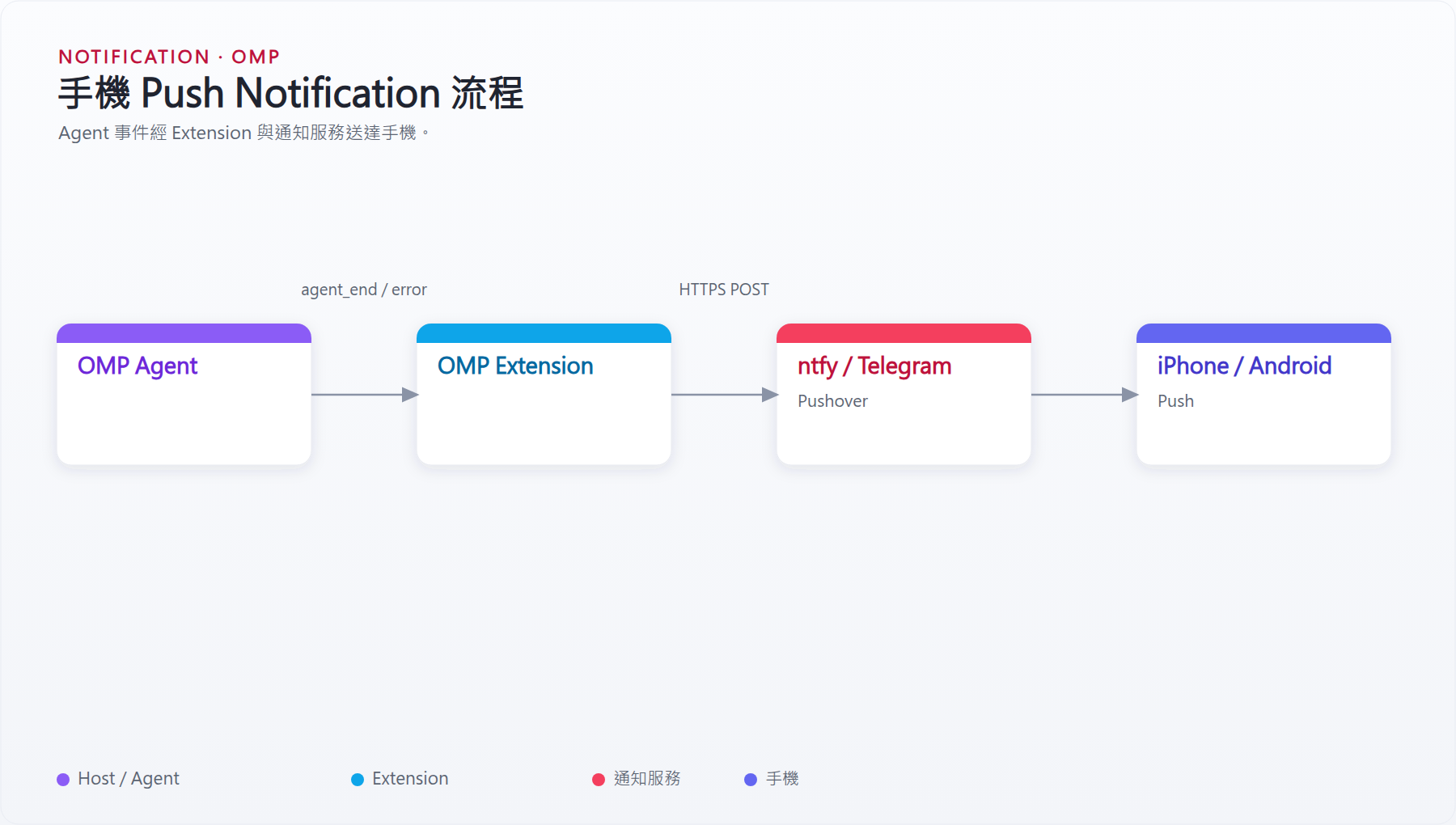
圖 1:手機 Push Notification 流程
完成任務後的流程:
手機送出:
「幫我完成測試與 refactor」

↓

鎖手機

↓

私人筆電上的 OMP 繼續工作

↓

agent_end

↓

Push Service

↓

手機通知:
「OMP task completed」
3. OMP Extension
Extension 可以放:
例如:
最小 Extension:
import type { ExtensionAPI } from "@oh-my-pi/pi-coding-agent";

export default function (pi: ExtensionAPI) {
  pi.on("session_start", async (_event, ctx) => {
    ctx.ui.notify("OMP extension loaded", "info");
  });
}
OMP Extension 可以註冊:
- Session event
- Agent event
- Slash command
- Tool
- UI notification
4. ntfy 通知概念
例如:
Topic 名稱請視為 Secret。
不要放進公開 Repository。
可以使用環境變數:
Extension 再讀:
5. 手機通知 Extension 範例骨架
以下是概念範例,實際事件名稱與 API 應依目前 OMP Extension 文件核對:
import type { ExtensionAPI } from "@oh-my-pi/pi-coding-agent";

export default function mobileNotify(pi: ExtensionAPI) {
  pi.on("agent_end", async (_event, ctx) => {
    const topic = process.env.OMP_NTFY_TOPIC;

    if (!topic) {
      ctx.ui.notify("OMP_NTFY_TOPIC not configured", "warning");
      return;
    }

    try {
      await fetch(`https://ntfy.sh/${topic}`, {
        method: "POST",
        body: "OMP task completed",
      });

      ctx.ui.notify("Mobile notification sent", "info");
    } catch (error) {
      ctx.ui.notify("Failed to send mobile notification", "error");
    }
  });
}
可逐步加入:
- Error notification
- Waiting-for-input notification
- Project name
- Git branch
- Task summary
- Session link
6. 推薦日常 Workflow
早上
私人筆電:
啟用以下設定時:
啟動 OMP 時會自動建立 Collab Session。
換到其他電腦
其他電腦 Browser:
加入自己的 session。
輸入:
開始工作
中午離開電腦
手機打開同一個 session:
需要批准 Shell:
完成後手機收到 Push Notification。
7. 延伸方向
需要時可擴充:
- 自動手機 Push Notification。
- 自訂 OMP Extension。
- 多 Project / 多 OMP Session。
- 自訂模型 Provider。
smol / default / slow / plan模型成本最佳化。- 更嚴格的 Tool Approval Policy。
- Self-hosted Collab relay。
- 專案級
.omp/config.yml。 - 更完整的
AGENTS.md。 - GitHub PR / CI 整合。
上一篇:設定、權限與安全 · 指令總整理:速查表(本機)、速查表(網頁)