OMP 遠端 Coding Agent(2/5):模型角色與日常 Coding
摘要
不同工作交給不同模型,再用清楚的 Prompt 讓 Agent 照步驟做事。本篇也說明怎麼接續和分支 Session。
資料基準:2026-09。執行前請以
omp --help、omp config list與omp models核對目前版本支援的選項。
1. OMP 的 Model Roles
OMP 可按工作類型切換模型。常見角色:
| Role | 用途 |
|---|---|
default |
日常主要 Coding |
smol |
快速、低成本工作 |
slow |
深度推理、疑難除錯 |
plan |
規劃與架構分析 |
vision |
圖片 / 視覺相關 |
advisor |
第二模型 Review |
task |
Subagent 工作 |
designer |
設計相關 |
範例:
modelRoles:
  default: anthropic/claude-sonnet-4-5
  smol: openai/gpt-4.1-mini
  slow: anthropic/claude-opus-4-5:high
上述模型名稱僅示範設定格式;實際名稱請以
omp models的清單為準。
2. 模型切換
進入 OMP:
在互動介面輸入:
也可在啟動時指定:
或:
或使用 Role 參照寫法:
Role Cycle
設定:
設定後可在這三個 Role 間切換。
模型選擇策略
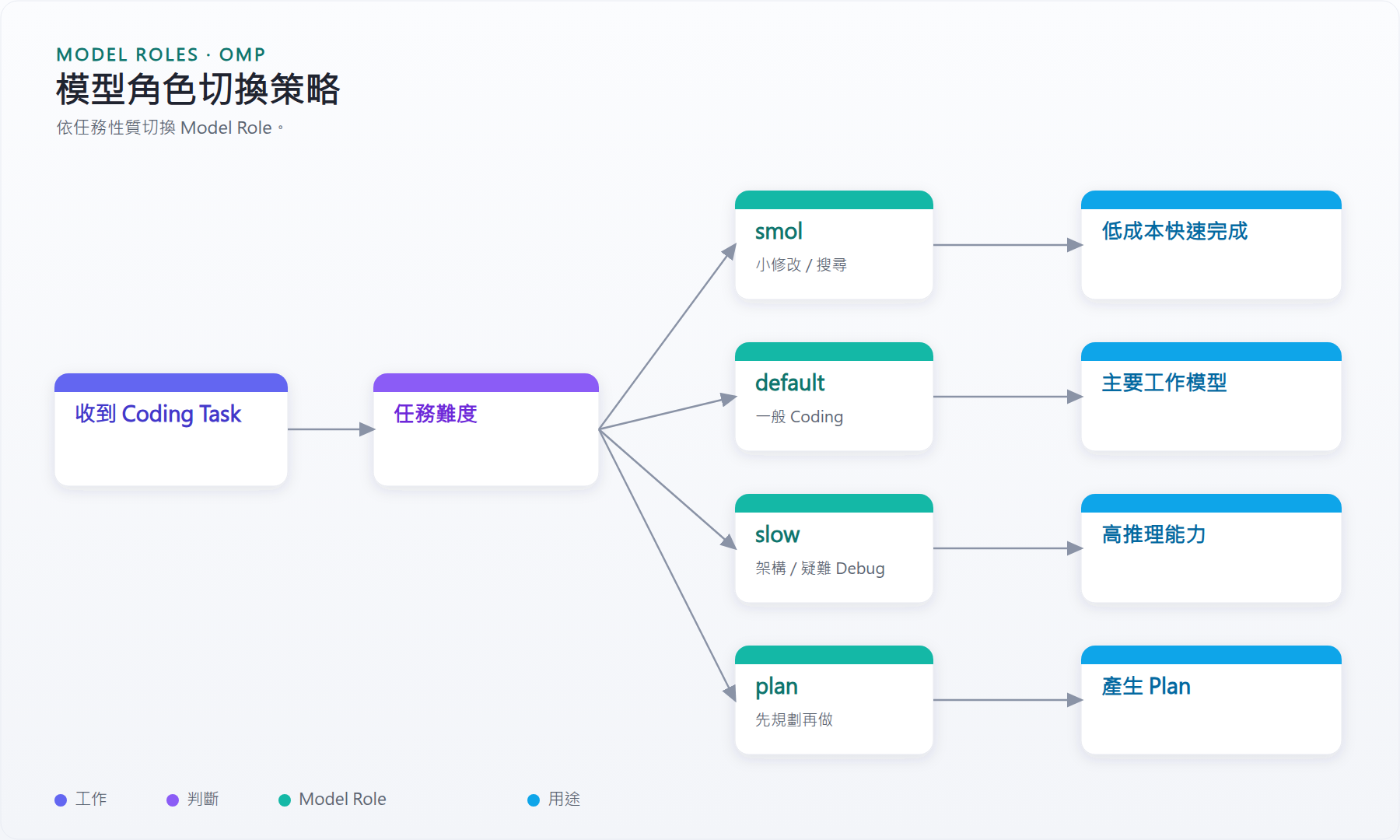
圖 1:模型角色切換策略
可依工作量選擇 Role:
smol
→ 搜尋
→ 小改動
→ 低成本 subtask

default
→ 日常 Coding
→ Feature 開發
→ 一般 Debug

slow
→ Architecture
→ Difficult debugging
→ Security analysis

plan
→ 需求拆解
→ Implementation plan
3. Thinking Level
如果模型支援 reasoning:
常見等級:
是否真正支援取決於 Provider / Model。
4. 基本使用
進入專案:
啟動:
範例 Prompt:
Debug:
修改:
5. 建議的 Prompt 模板
不要只輸入:
推薦:
分析這個 bug。

要求:

1. 先重現問題
2. 找 root cause
3. 在修改前先說明計畫
4. 列出可能受影響檔案
5. 修改後跑 tests
6. 檢查 regression
7. 最後輸出 git diff summary
8. 不要 push
大型工作:
orchestrate

完成 payment service refactor。

要求:

1. 分析現有 architecture
2. 建立 implementation plan
3. 拆成適合平行處理的工作
4. 實作
5. 執行相關測試
6. Review git diff
7. 不要 push
6. Session 保存與繼續
正常啟動:
繼續最近 session:
或:
從歷史 session 選:
指定 session:
Fork:
上一篇:概念、架構與安裝 · 下一篇:Collab 遠端控制